

Office Secret Santa
Run Secret Santa for your team in five minutes: one link in the team chat, wish lists instead of guesswork, and a draw that runs itself.
- Free
- Up to 300 players
- No email or sign-up
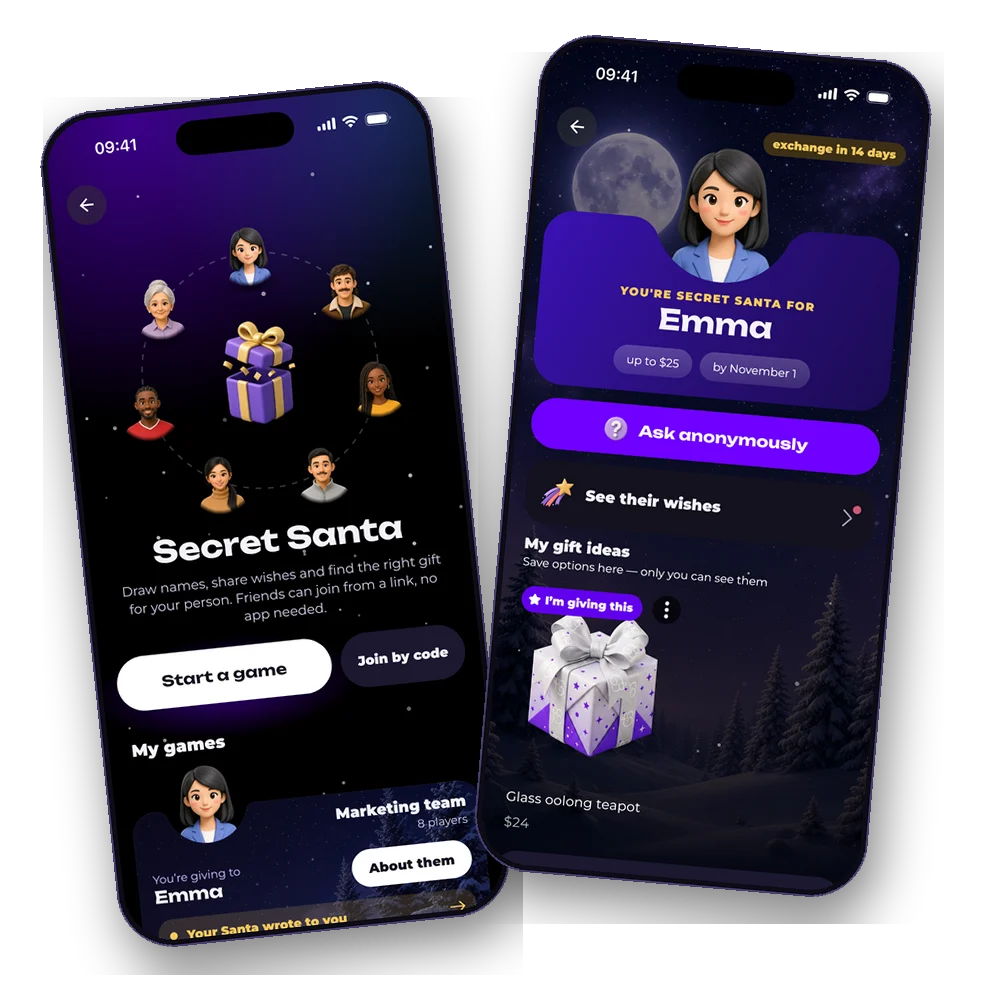
In short. Create a game and pick the Office template: a $25 budget and an exchange on the Friday before the holidays are filled in for you, and you can change both. Share the link in Slack, Teams or the group chat. Coworkers join from a phone or a laptop in half a minute and write their wishes. The draw runs on its own on the date you set, and everyone sees only their own recipient. Nobody sees the pairs, the organizer included, unless they turn that on when creating the game.
How to run Secret Santa at work
Four steps, then the game runs itself: it sends nudges, holds the draw and shows who still owes their wishes.
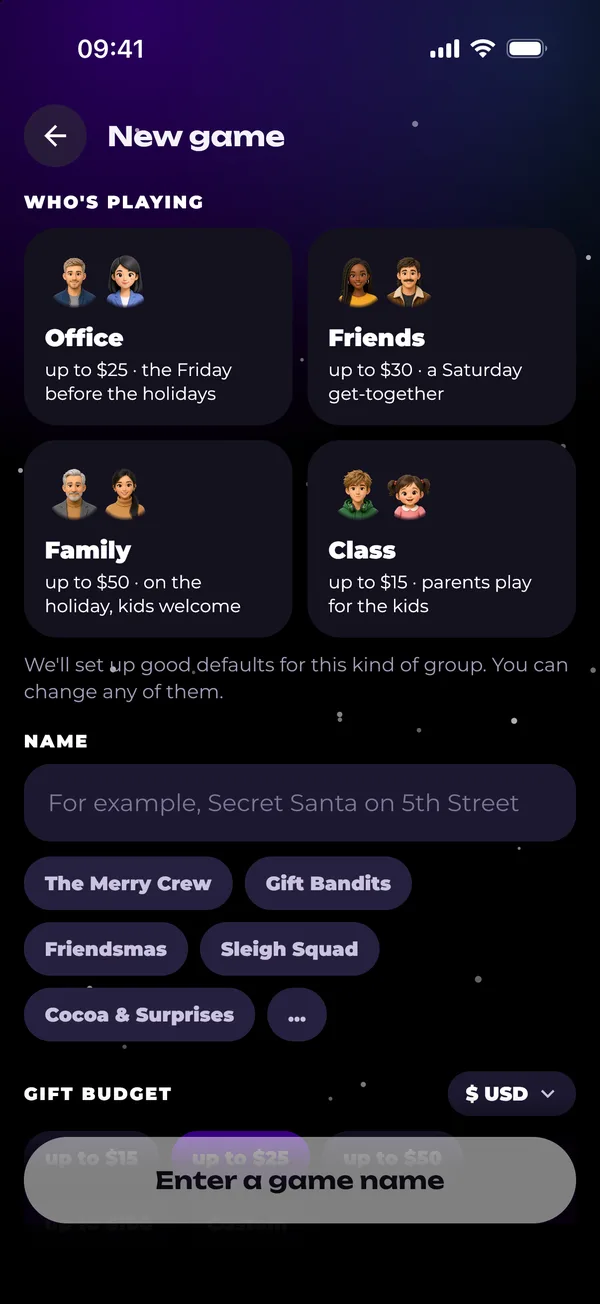
Office template
A $25 budget and the Friday before the holidays are filled in. Couples are kept apart from the start.
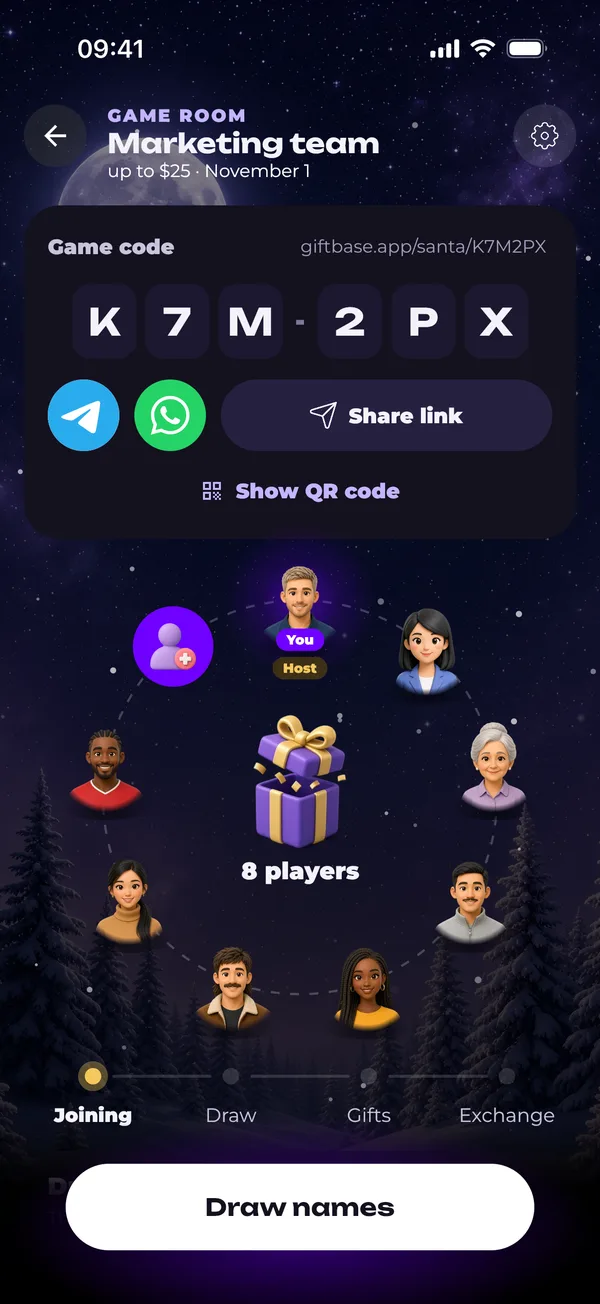
Post the link
Slack, Teams or WhatsApp in one tap, or a QR code on the meeting room screen.
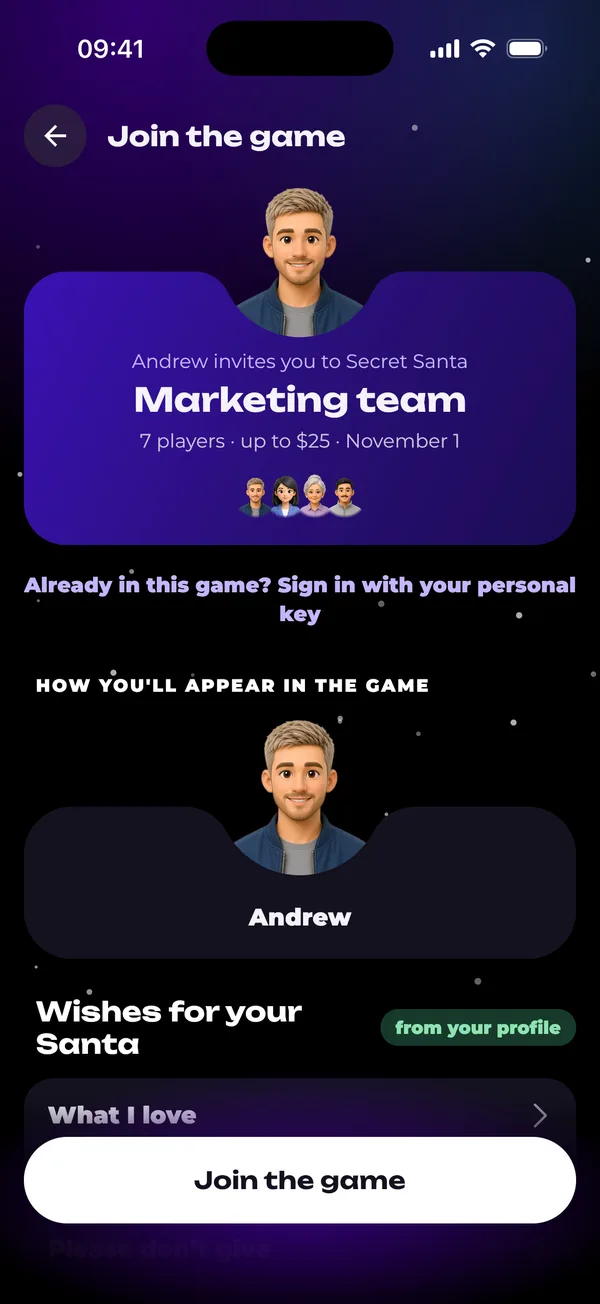
Everyone writes wishes
Likes, no-gos, sizes and allergies. The room shows who still has to fill theirs in.
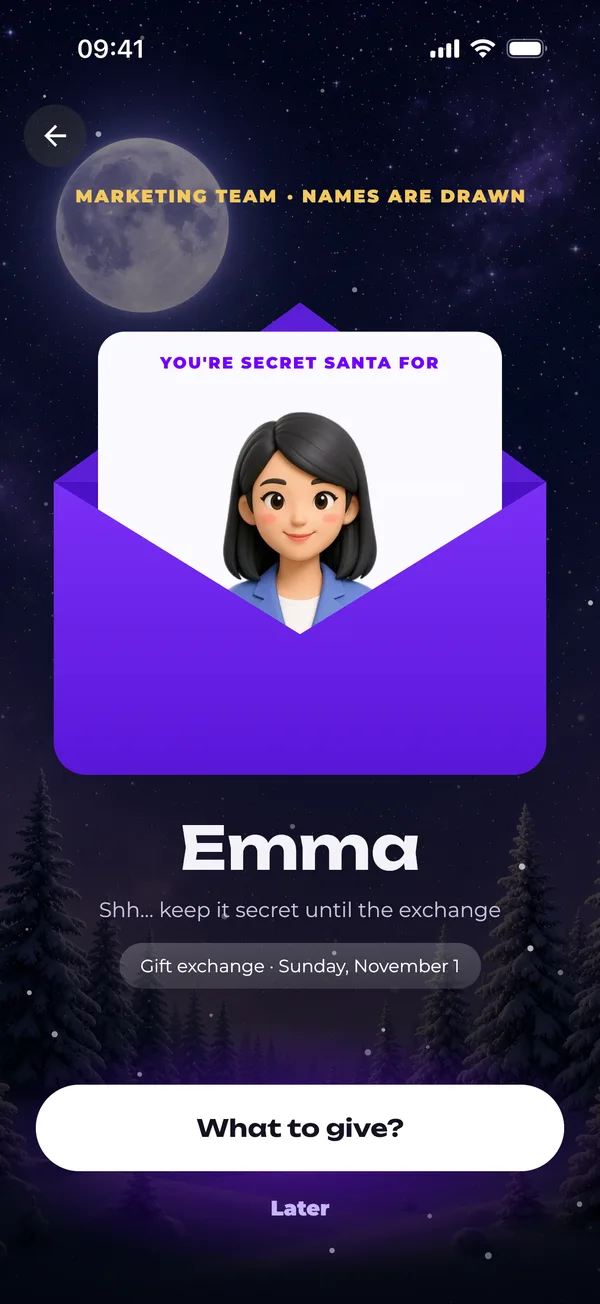
The draw runs on time
At noon on the date you set, or with one tap. Each coworker opens an envelope with one name.
What the game handles for you
No spreadsheet, no names in a hat, no forwarding questions back and forth. Here is what each player sees.
-
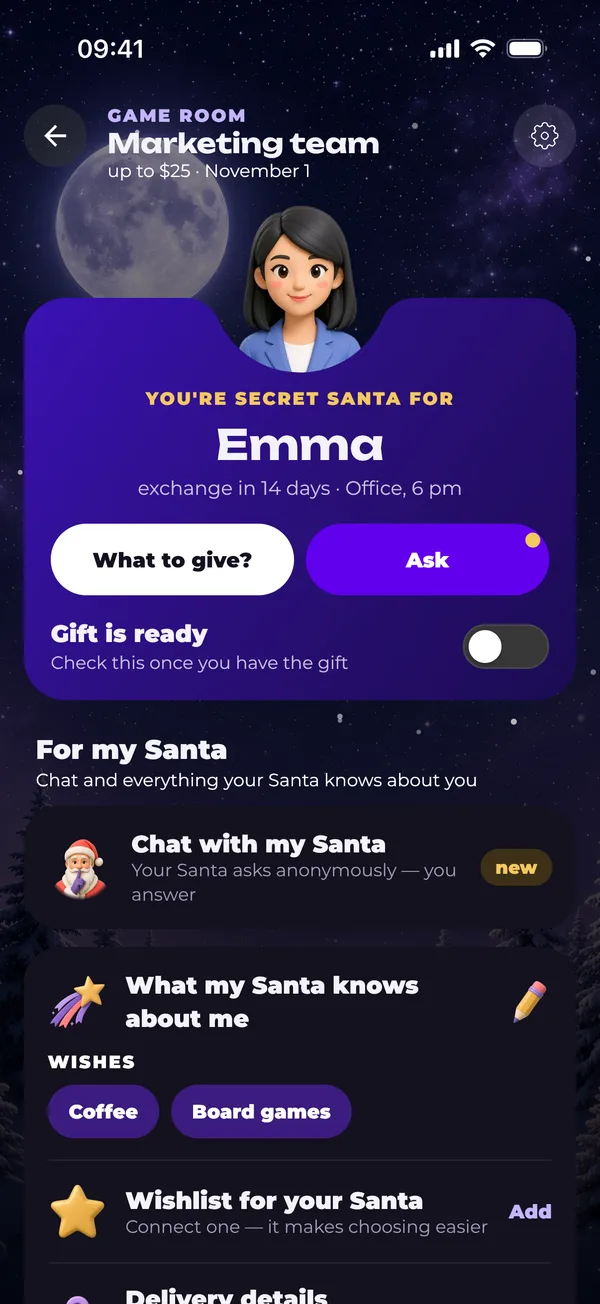
Your recipient at a glance
Who you are buying for, the budget, the date and place of the exchange and a “gift is ready” toggle. Ask them a question or reply to your own Santa from the same screen.
-
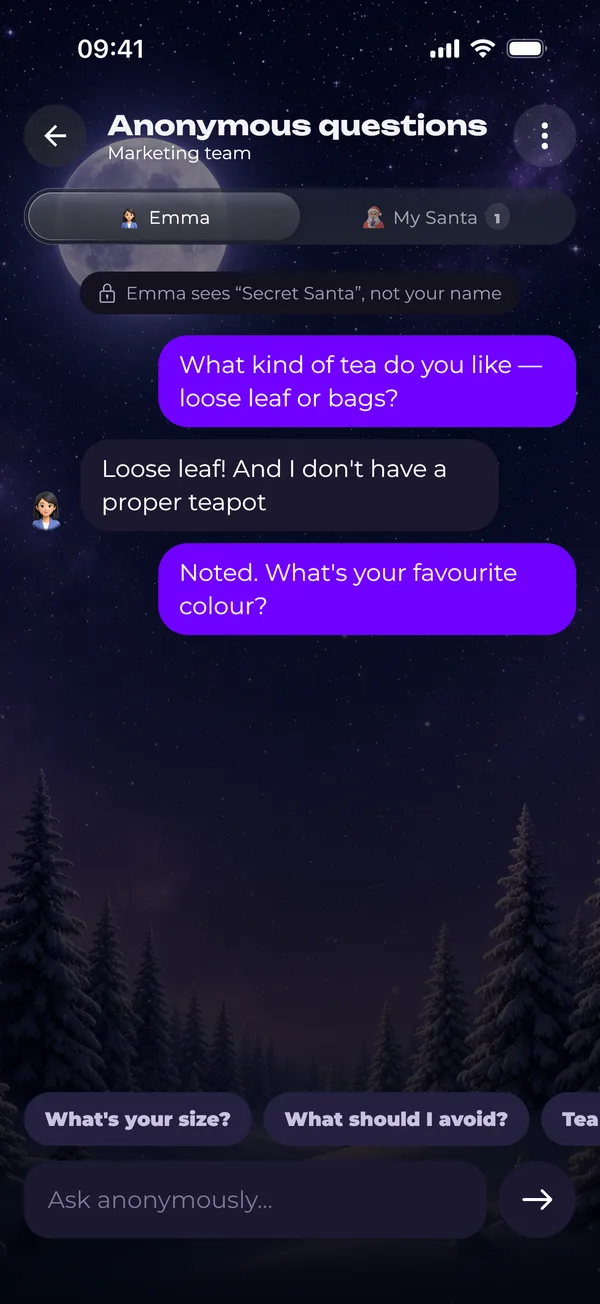
Anonymous questions
Not sure about a coworker’s size or favorite snack? Ask in the chat and they reply without knowing who’s asking. The filter blocks links and phone numbers, so nobody gives themselves away by mistake.
-
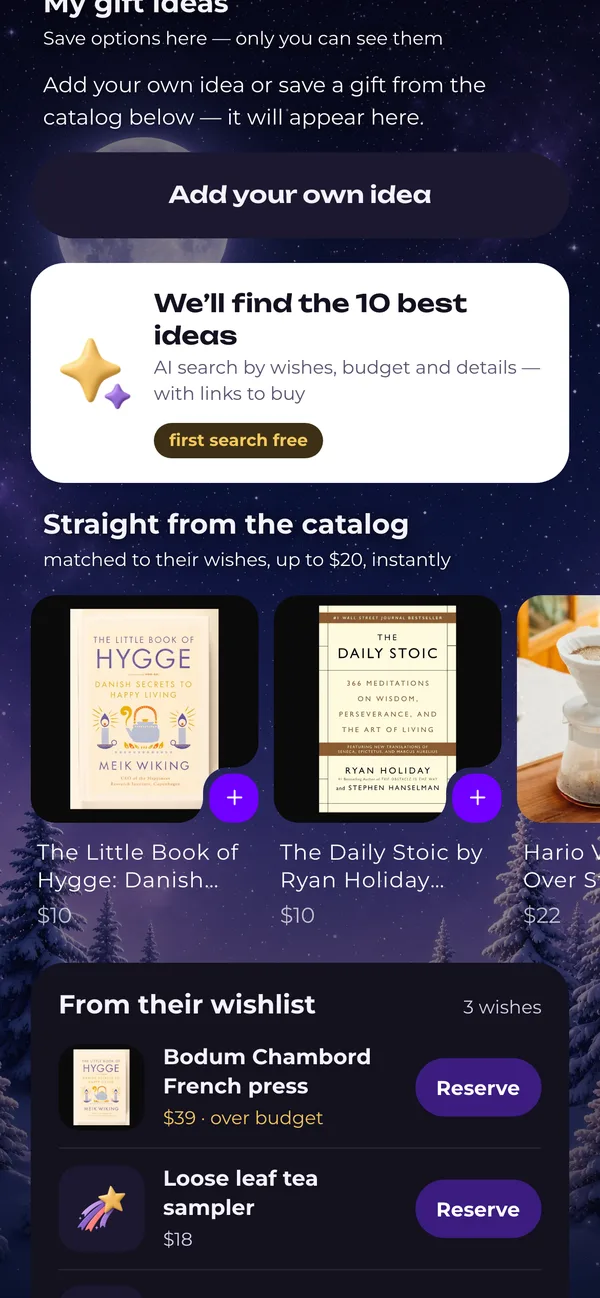
Ideas within the budget
Next to the wishes you get gift ideas from the catalog that fit the game's budget. In the GIFTbase app you can also run a search for 10 ideas with store links, and the first one is free.
-
Late joiners still get in
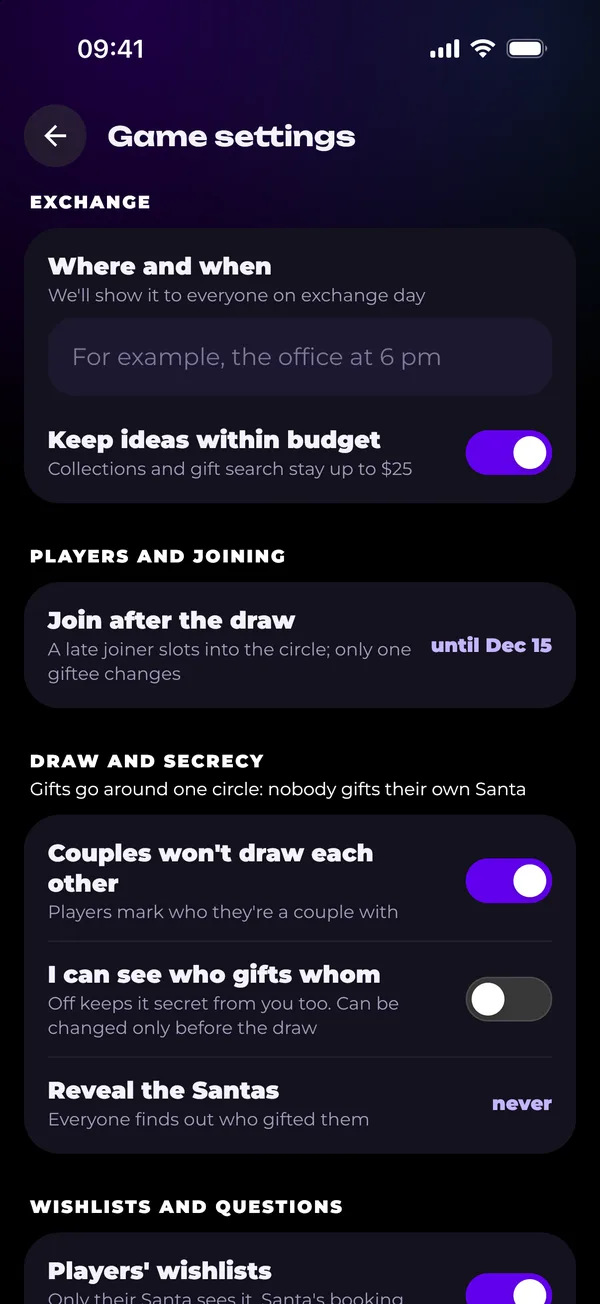
The organizer can let people in after the draw, up to a set date. The newcomer joins the circle and only one person gets a new recipient, so nobody else’s plans change.
Nothing to install
Works on a work laptop
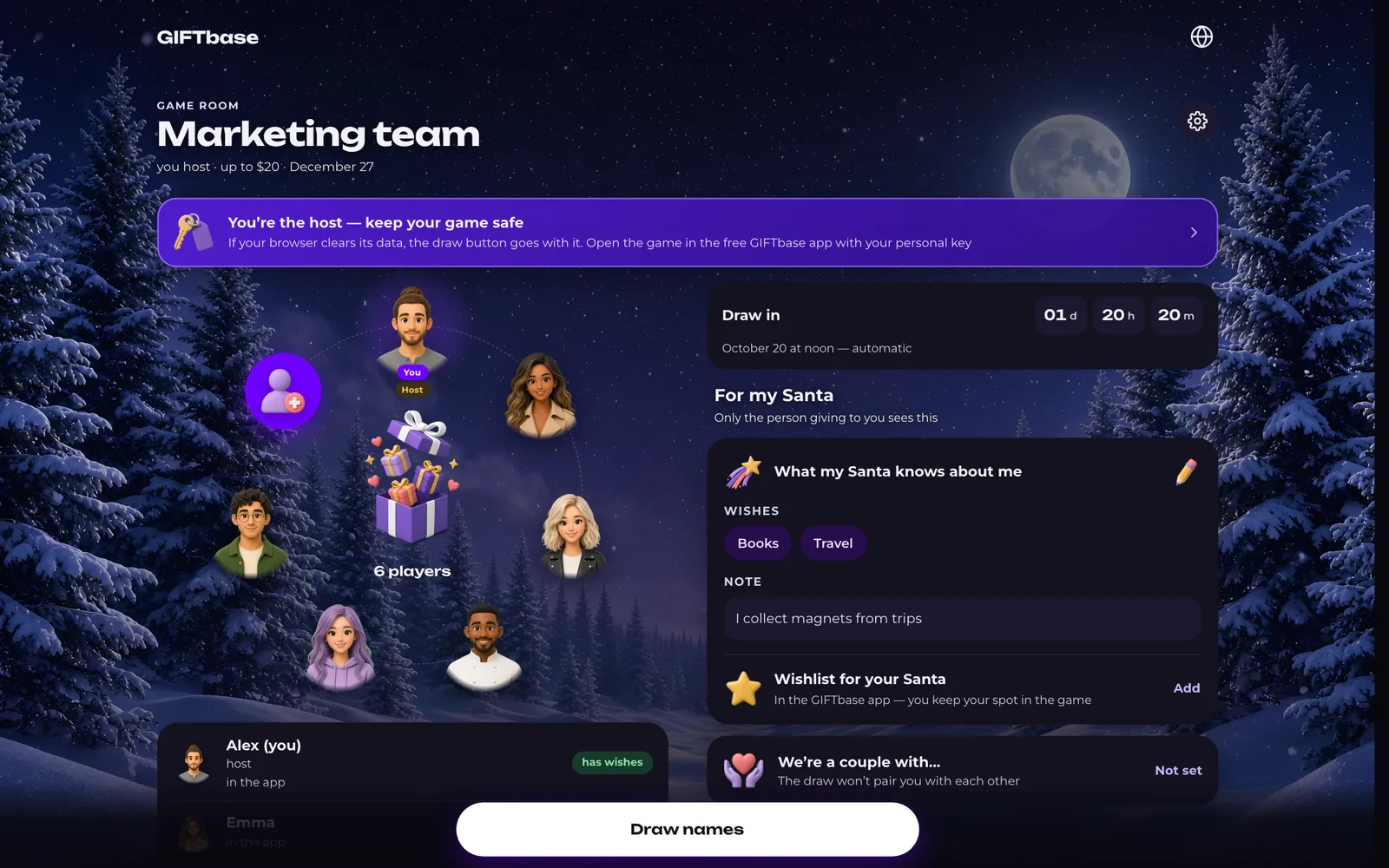
Coworkers don't install an app or make up a password: the game opens from a link in any browser. On a laptop the room splits into two columns, with players and their status on the left and the draw countdown and your own wishes on the right.
- No email, no password
- Get back in from another device with your personal key
- The same game in the GIFTbase app, if you want to switch
Office Secret Santa etiquette that keeps everyone happy
A budget that works for the intern
$15–30 is the usual range. Keep one amount for everyone so nobody feels awkward next to the boss.
Opt in, never opt out
Don't sign the whole team up by default. Share the link in the team channel and let people join if they want to.
Draw one or two weeks ahead
That leaves time to choose and order a gift. The exchange works best on the last day before the break or at the holiday party.
Remote teammates can ship
Teammates in other cities? Switch the exchange to a pickup point or the mail. Each address opens only for the coworker buying that gift.
Agree on jokes up front
A gag gift one person finds funny can embarrass another. Say in the game description that gifts should be useful or nice.
The boss plays by the same rules
If the manager joins, the budget is the same. A gift for the boss from the whole team is a separate thing.
What to get a coworker for Secret Santa
Ready-made lists with prices and store links, sized for the game budget and for people you don't know that well.

Gifts for Coworkers: 16 Ideas for $20 and $40 Budgets (2026)
Sixteen gifts for a coworker you like but do not know that well: nothing too personal,…

Secret Santa Gifts Under $25: 15 Ideas People Actually Want (2026)
Secret Santa gifts under $25 that feel picked for one person: crowd-pleasers for anyone,…

White Elephant Gifts People Actually Want: 14 Ideas Under $50
Fourteen white elephant gifts that get stolen, sorted by the usual price limits: under…

Gifts for Your Boss: 9 Boss's Day Ideas from You or the Whole Team
Nine gifts for a boss, split the way office etiquette splits them: five small ones you…

Stocking Stuffers for Adults: 15 Small Gifts They’ll Actually Use
Fifteen small gifts for grown-up stockings: fun fillers under $20, pocket upgrades for…

Cozy Gifts for Homebodies: 18 Hygge Ideas
Eighteen gifts for the person whose ideal Friday is a blanket, a candle and nowhere to…
More about Secret Santa

Secret Santa rules
What to agree on with coworkers before anyone draws a name.

How to do Secret Santa
A step-by-step plan for the organizer, with messages ready to paste.

Virtual Secret Santa
For distributed teams: private addresses and gifts that ship.

Family Secret Santa
Exclusions for couples and room for players without phones.
FAQ
Usually $15–30 per person, an amount everyone is comfortable with, new hires included. You set the budget when you create the game, and catalog ideas stay within it.
Switch how gifts change hands to a pickup point or the mail. Remote coworkers type their addresses into the game, each address is shown only to the person buying for them, and all of them are erased 30 days after the exchange.
No, unless they turn it on when creating the game. The setting can only be changed before the draw; after it, each person sees only their own pair.
No. The game works in the browser from a link, with no email or password. The GIFTbase app adds reminders and gift ideas, but nobody needs it to play.
From 3 to 300, enough for a single team or the whole company.
It works when the game allows joining after the draw. The latecomer slots into the shared circle until the set date, and just one player gets a different recipient.
Updated October 18, 2026
Play in the browser or in the app
The GIFTbase app sends reminders about the draw and the exchange, finds gift ideas for your recipient and unlocks every room theme. Your coworkers don't need it to play.

